
ConnectMQ Edge Basic & Scale
ConnectMQ Edge is a Windows gateway that runs next to your machines. It reads PLCs, energy meters, protection relays, OPC UA servers and local brokers, publishes the values to your ConnectMQ broker as JSON in a clean ISA-95 topic tree, and keeps the data on disk while the internet is down. No code is needed.
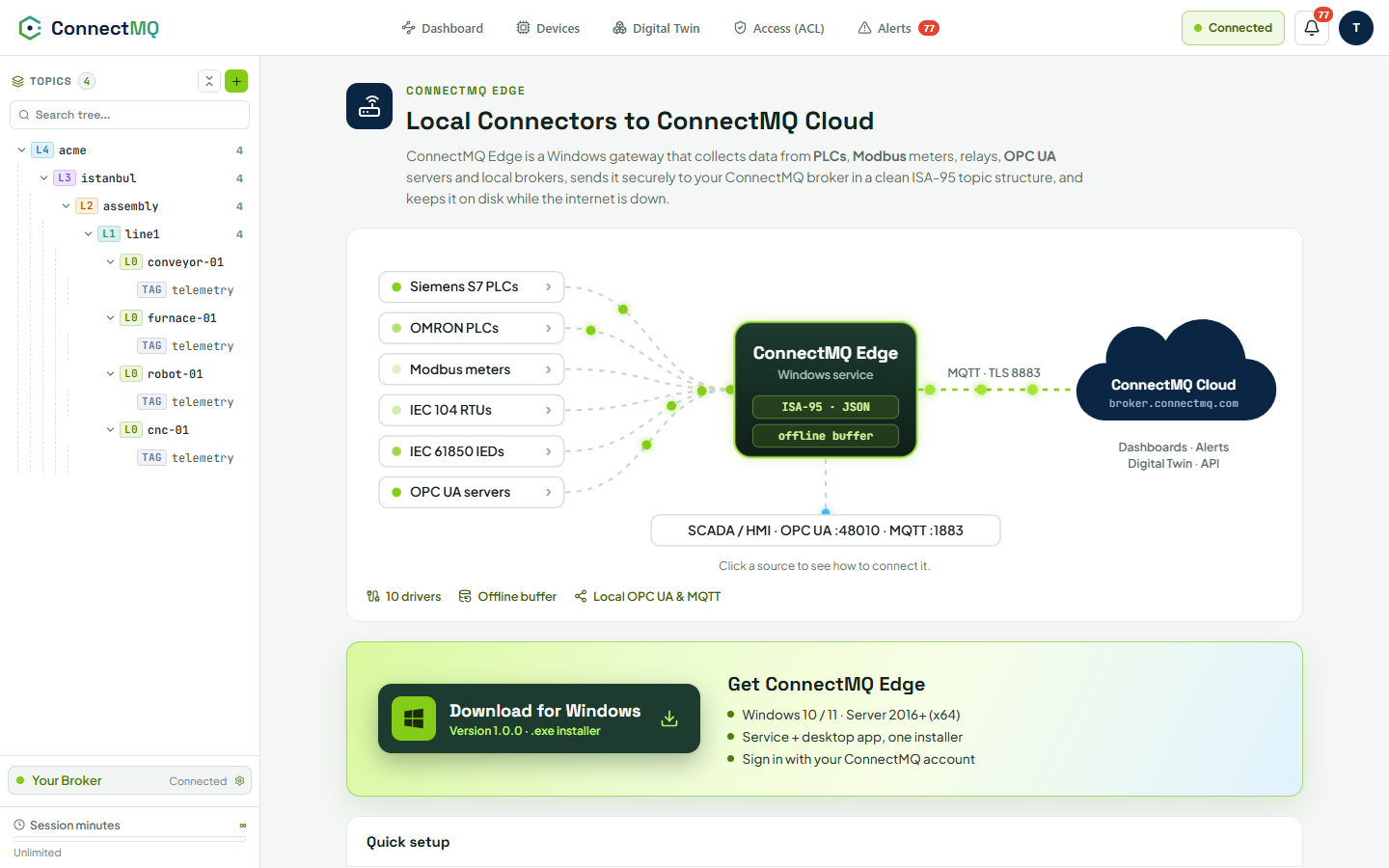
How it works
text
 Field devices                     ConnectMQ Edge (Windows service)              ConnectMQ Cloud
 Siemens S7, OMRON,      ──►  channels ─► tag engine ─► MQTT bridge  ──TLS 8883──►  broker.connectmq.com
 Modbus, IEC 104/61850,       (drivers)   (scale,       (filters,                   dashboards, alerts,
 OPC UA, MQTT, Simulator                   deadband)     offline buffer)            digital twin
                                              │
                                              └──► local OPC UA server :48010 and MQTT broker :1883
for SCADA, HMI, MES and historians- Channels connect to field devices with a driver (one TCP connection, serial port, OPC UA session or MQTT session each).
- The tag engine scales the raw values, applies deadbands and decides what to publish.
- The MQTT bridge sends the values to your ConnectMQ broker over TLS, with the client ID
<issued client ID>_edge_<random>, and buffers them on disk when the link is down. - Everything is also served locally on an OPC UA server and an MQTT broker.
Project model: channel → device → tag
| Level | Meaning |
|---|---|
| Channel | One driver and one connection (TCP socket, serial port, MQTT or OPC UA session). Traffic inside a channel runs in sequence. |
| Device | A station on the channel: a PLC, a Modbus unit ID, an IEC 104 common address, an IED, an MQTT topic group or an OPC UA subscription. |
| Tag | One data point: address, data type, scale, unit, deadband and whether it can be written. |
Connectors
| Connector | Devices | Max channels | Devices per channel |
|---|---|---|---|
| Siemens S7 | S7-1200/1500, S7-300/400, S7-200 SMART, LOGO! | 1024 | 1024 |
| Modbus TCP / RTU / ASCII | Energy meters, drives, PLCs | 1024 (ASCII 100) | 8192 TCP / 255 RTU / 247 ASCII |
| OMRON FINS / NJ-NX | CJ/CP/CS, NJ/NX | 512 / 256 | 32 / 1024 |
| OPC UA Client | Any OPC UA server | 256 | 256 |
| IEC 60870-5-104 | RTUs, substation gateways | 1024 | 1024 |
| IEC 61850 (MMS) | Protection relays, bay controllers, IEDs | 256 | 256 |
| MQTT Client & Sparkplug B | Local brokers, Ignition, Node-RED, Sparkplug gateways | 60 | 1024 |
| Simulator | Test signals, no hardware | 1024 | 999 |
Limits are per driver, not per project: you can combine drivers for more channels.
Requirements
- Windows 10 / 11 or Windows Server 2016+ (x64). No .NET installation needed.
- A ConnectMQ organization on the Basic or Scale plan. On the Free plan the console shows ConnectMQ Edge is part of the paid plans and the download is locked; upgrade to unlock it. See pricing.
- Outbound access to
broker.connectmq.com:8883.
Plan limits to keep in mind
Edge is one MQTT connection, however many devices it reads. Every published tag value is a message, so watch your plan's messages per second per client and monthly traffic limits (Plans & broker limits). Use deadbands, publish-on-change and publish filters to stay within them (Topics & payloads).