
Plans & billing
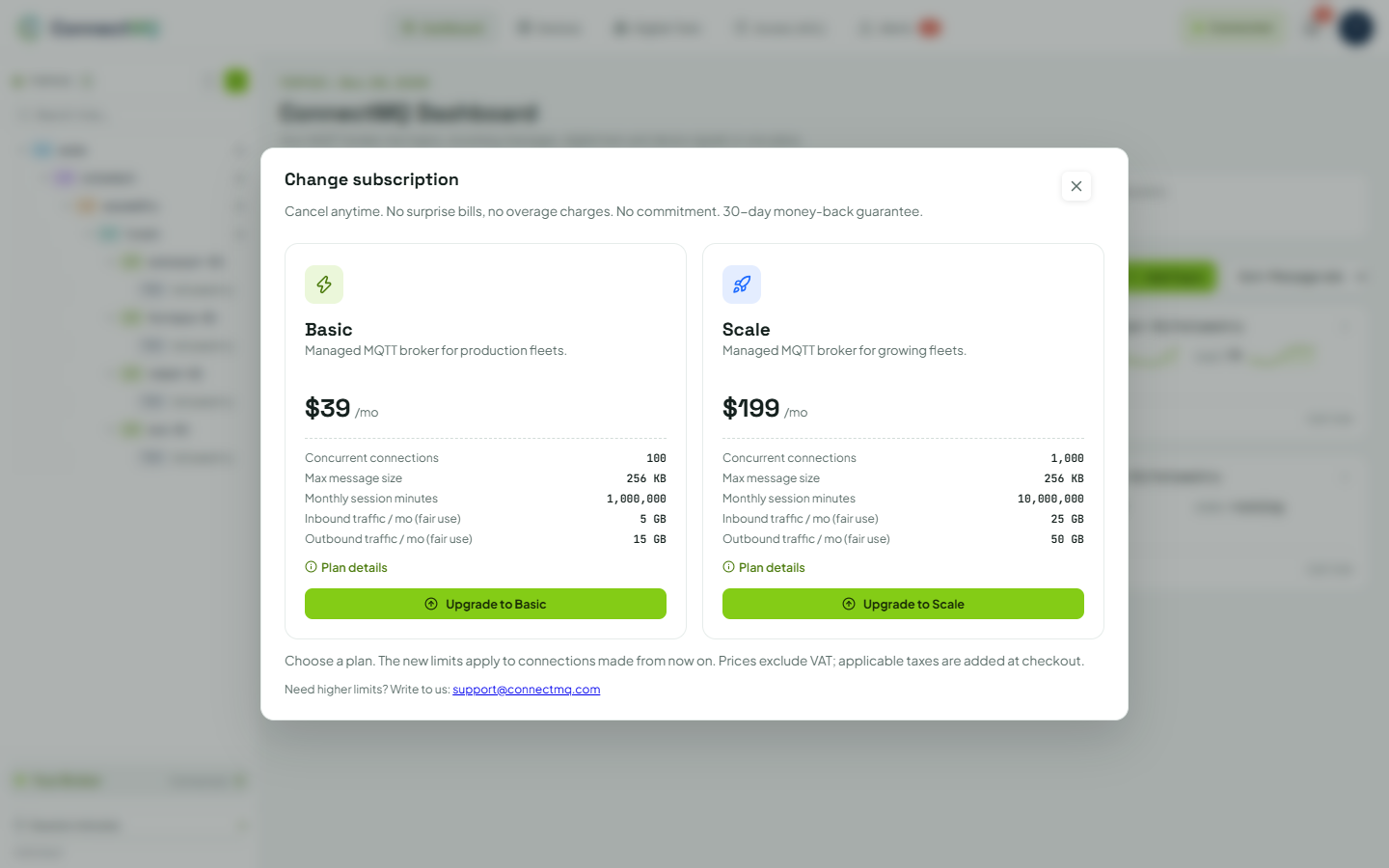
Every organization starts on the Free plan. Move to Basic or Scale when you need more connections, monthly session minutes, ACL or ConnectMQ Edge. Prices and limits: connectmq.com/pricing.
| Free | Basic | Scale | |
|---|---|---|---|
| Price | $0, one-time | $39 / month | $199 / month |
| Concurrent connections | 5 | 100 | 1,000 |
| Session minutes | 10,000 one-time | 1,000,000 / month | 10,000,000 / month |
| Traffic | 100 MB one-time (in + out) | 5 GB in / 15 GB out per month | 25 GB in / 50 GB out per month |
| Access control (ACL) | — | ✓ | ✓ |
| ConnectMQ Edge | — | ✓ | ✓ |
| E-mail support | — | ✓ | ✓ |
All limits: Plans & broker limits. Prices in USD, excluding VAT.
Change your plan
Owners and admins can change the plan from:
- the user menu → Change Plan,
- Tenant & Billing Settings → Change plan (Upgrade / Downgrade),
- Upgrade / Downgrade in the quota box of MQTT Connection Settings,
- the Upgrade plan buttons shown when a limit is nearly used up.
Upgrade from Free
Click Upgrade to Basic or Upgrade to Scale, then Continue to payment. Paddle's secure checkout opens; after payment the new limits apply immediately and the console confirms Payment received; your subscription has started.
Upgrade between paid plans
The difference for the rest of the billing period is charged now (prorated) and the new limits apply right away.
Downgrade
A downgrade takes effect at the end of the paid period; you keep the current limits until then. The plan shows FROM date and Scheduled; Stay on plan cancels the scheduled downgrade. Check that your usage fits the smaller plan: clients over the new connection limit cannot reconnect.
Invoices and payment method
In Tenant & Billing Settings → Subscription & billing:
- Invoices opens the Paddle portal with all invoices.
- Change card updates the payment method.
- If a payment fails, the status shows Payment failed; update the card to keep the service running.
Orders are processed by Paddle.com, our Merchant of Record, which also adds VAT or sales tax for your country.
Pause or cancel
- Pause subscription: pauses at the end of the paid period. While paused, devices cannot connect; your brokers, credentials and data are kept. Resume starts a new billing period right away.
- Cancel subscription: the plan stays active until the end of the period you paid for and then does not renew. There are no cancellation fees. Until then you can click Keep subscription.
- Refunds: you can request a full refund within 30 days of any payment. See the refund policy.
When limits run out
| Situation | What happens |
|---|---|
| Session minutes almost used (≤ 10 % left) | A banner warns you; owners and admins see Upgrade plan. |
| Monthly session minutes used up (Basic / Scale) | No new connections until the 1st of next month. |
| Free plan minutes used up | Devices can no longer connect. The console asks you to choose Basic or Scale; brokers and data are kept and work again as soon as the subscription starts. The Free plan cannot be restarted. |
| Monthly traffic used up | New messages are refused with 0x97 (Quota exceeded) until the end of the month; connections stay open. |
| Concurrent connection limit reached | New clients are refused until another one disconnects. A pop-up offers the next plan. |
| Subscription ended or paused | Devices cannot connect; data is kept. |
There are no overage charges: ConnectMQ never bills you for going over a limit; it stops the extra usage instead. Need more than Scale? Contact sales or write to support@connectmq.com.