
Topic details & publishing
Click a topic on the dashboard or a TAG in the topic tree to open its page: live values, the message log, a publish panel and shortcuts to alerts, access control and the digital twin.
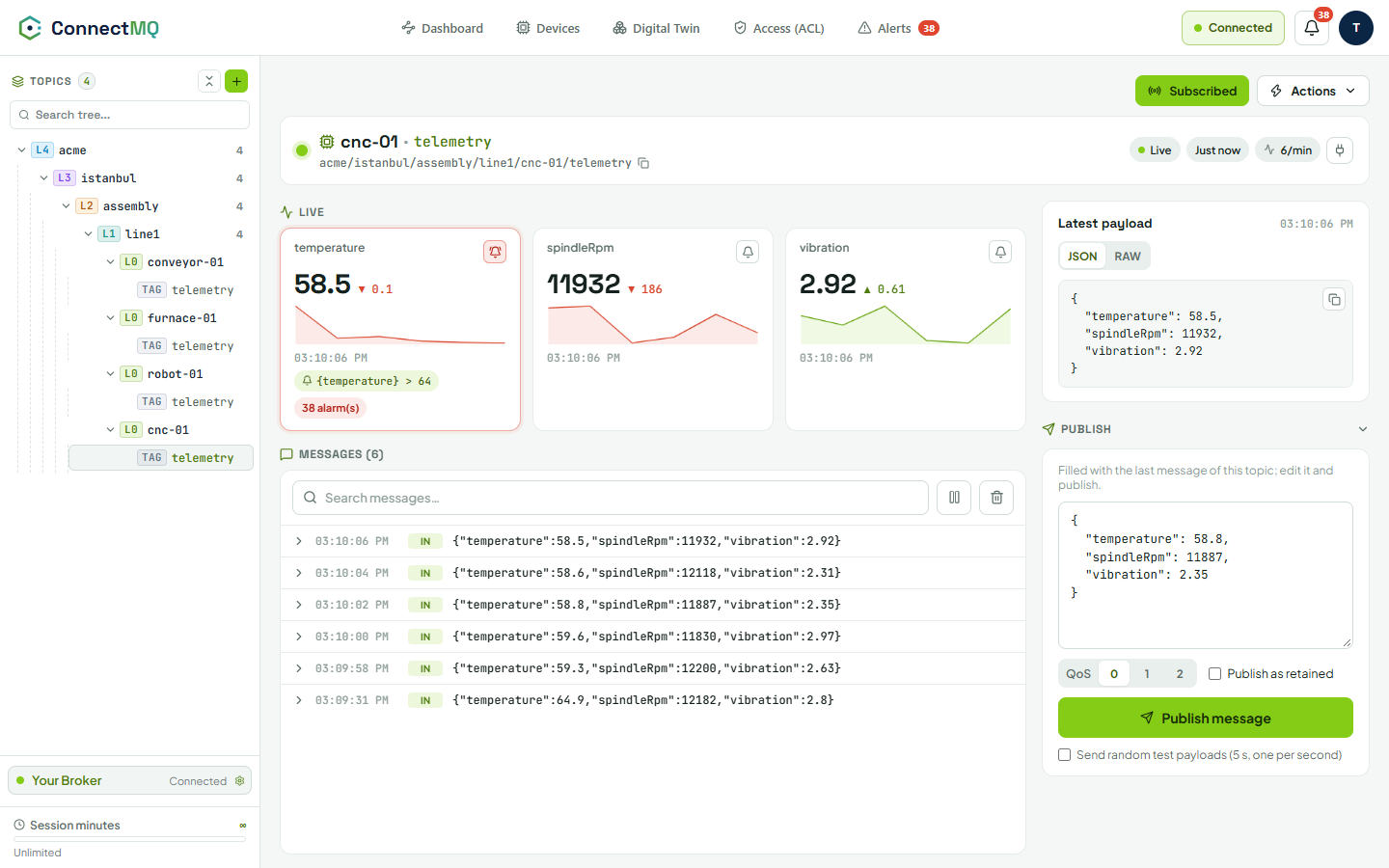
Header
- Device name, signal and the full topic path with a Copy topic button.
- State: Live (a message in the last minute), Idle (1–10 minutes ago), Silent (more than 10 minutes), Offline (the publishing client disconnected) or Waiting for data.
- Time of the last message and the rate (messages in the last minute).
- The plug icon shows the publishing client; click it to open that client on the Connections tab.
- Subscribed toggles the console's subscription. Actions opens the topic menu (below).
Live
One card per JSON field with its last value, the change since the previous message and a chart. The bell on a card creates an alert rule for that field; once a rule exists, the card shows it (for example {temperature} > 64) with options to edit, pause or delete it.
If the payload is not JSON, the page explains that only JSON payloads get a card and chart per field.
Messages
The latest messages with time, direction (IN / OUT) and payload. Use Search messages… to filter, the pause button to freeze the list and the bin to clear it. The Latest payload box shows the newest message as formatted JSON or RAW text with a copy button.
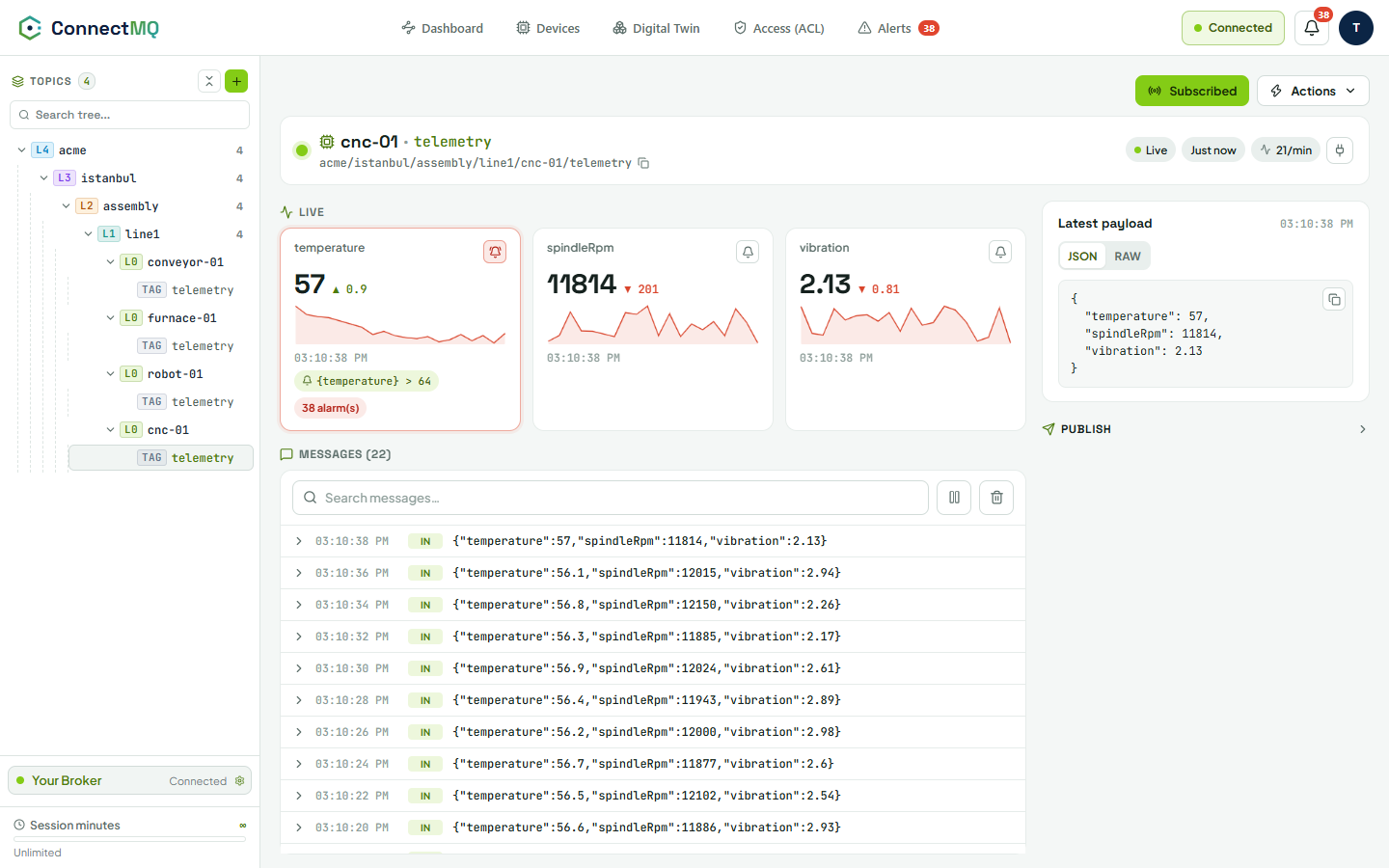
Publish
The PUBLISH panel sends a message to this topic from the browser, which is handy for testing rules, dashboards and devices that listen for commands.
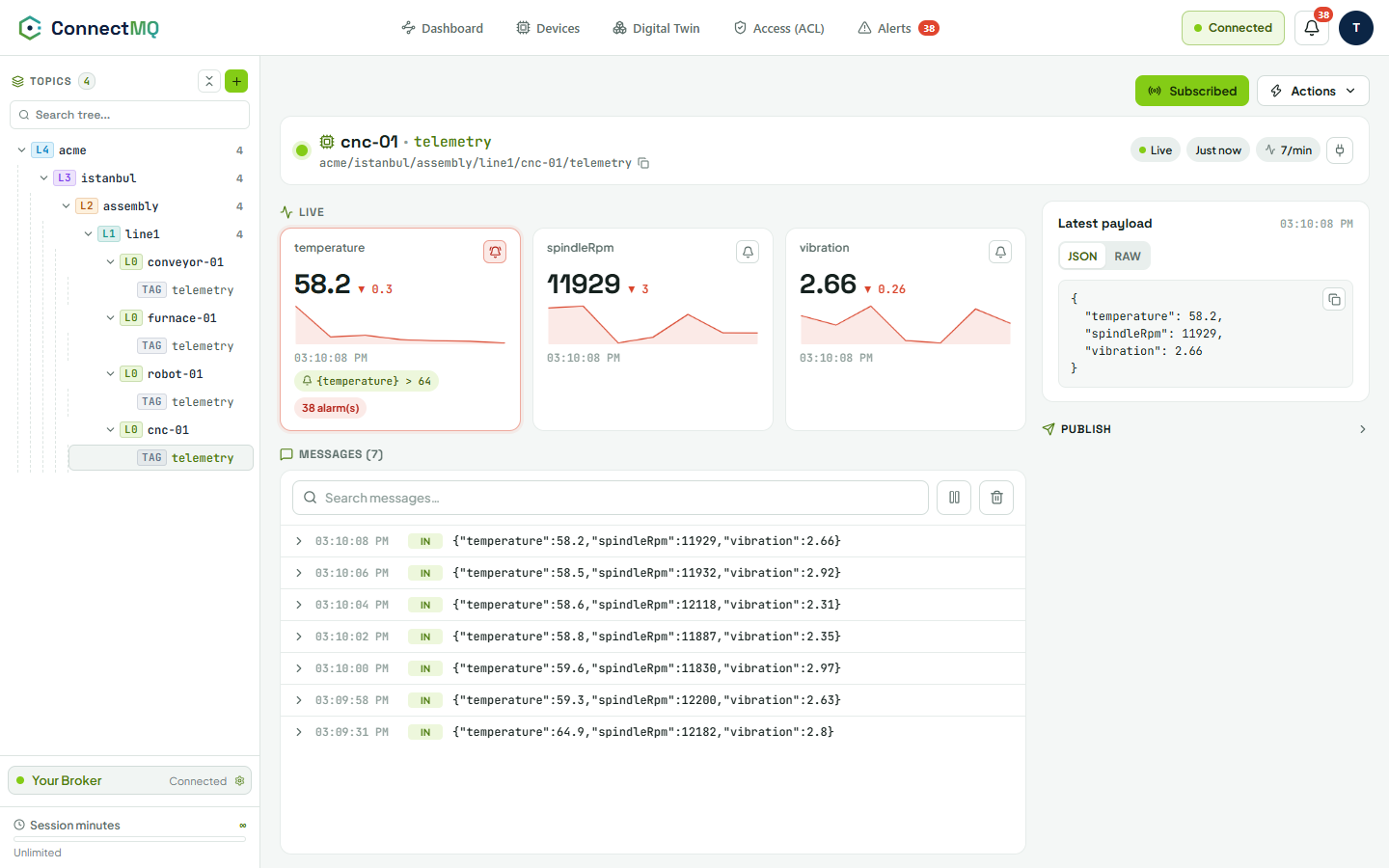
- The editor is filled with the last message of the topic. Edit it (JSON or plain text).
- Choose QoS 0, 1 or 2.
- Tick Publish as retained if the broker should keep the message and deliver it to future subscribers.
- Click Publish message.
Send random test payloads publishes one message per second for a few seconds, with every number in the JSON varied by up to ±10 %. Use it to see charts move and to test alert rules without a real device.
Messages you publish here count like any other message towards your plan's traffic and messages-per-second limits.
Actions
| Action | What it does |
|---|---|
| Add alert rule | Opens the rule editor for this topic. |
| Access control | Opens the ACL page to restrict who may use this topic. |
| Subscribe / Subscribed | Adds or removes the topic from the dashboard. |
| Delete topic | Removes the topic, its last value and retained message from the list (owners and admins). |
Suggestions
A Suggestions box points out what is missing, for example No alert rule for this topic yet (Create a rule), No device type chosen for this topic in the Digital Twin (Show in Digital Twin) or Access control is off (Add an access rule).
Empty topic
A topic with no messages shows Publish Test Data and Code samples for devices. The second opens the code samples with your broker's details already filled in.