
MQTT Connection Settings
This page holds everything about your broker: credentials, endpoints, usage, limits and code samples. Open it with Your Broker in the sidebar, the Connected status in the top bar or MQTT Connection Settings in the user menu.
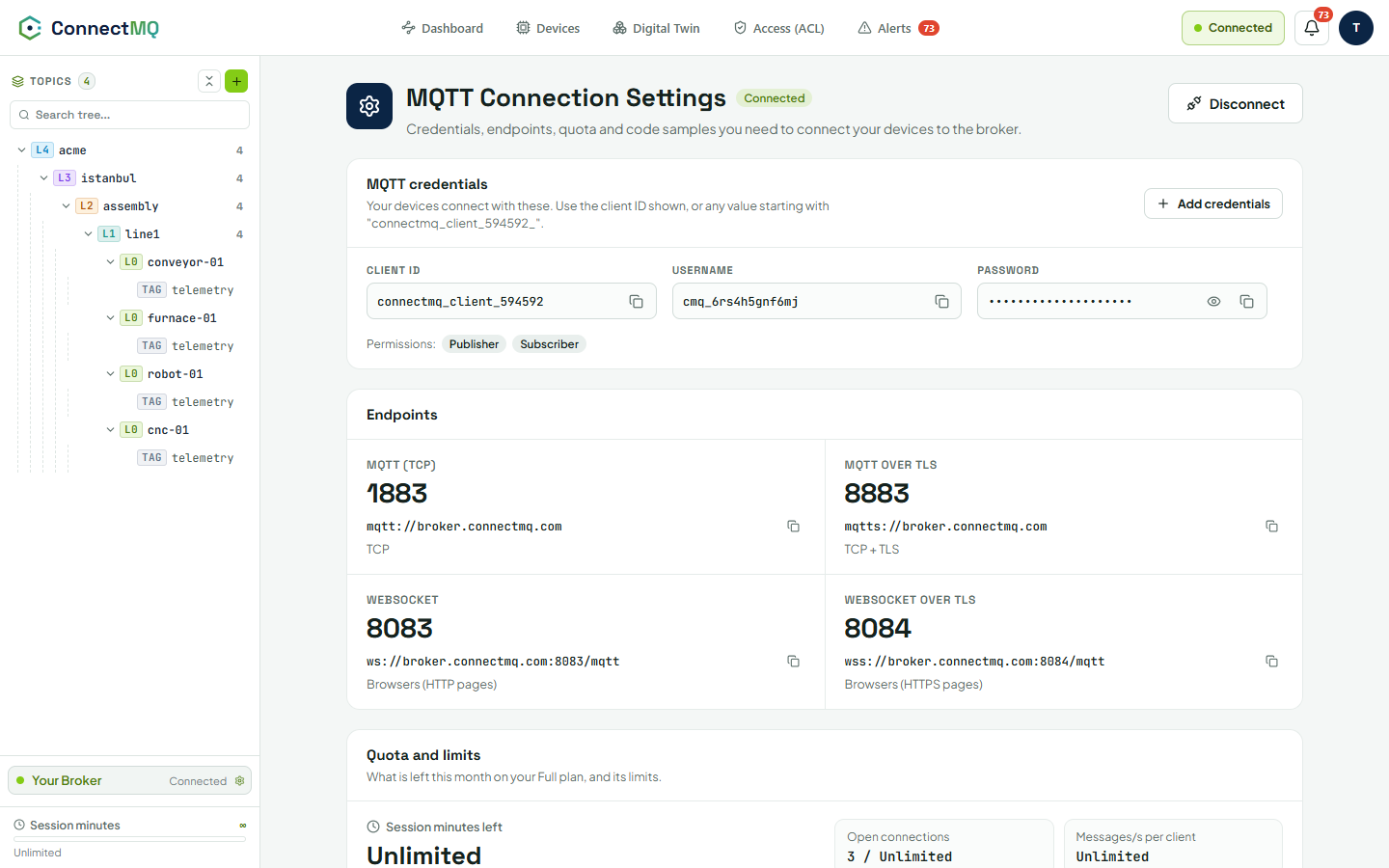
MQTT credentials
Each credential set has a Client ID, Username, Password and Permissions (Publisher, Subscriber). Use the eye icon to show the password and the copy icons to copy values.
- Add credentials creates a new set (owners and admins). Use separate sets per device group, site, service or CI pipeline.
- Delete a set to revoke it: devices using that username can no longer connect.
- To rotate a password, add a new set, move your devices to it, then delete the old one.
The number of credential sets per broker is limited; the console tells you when you reach it.
How client IDs work with credentials: Client IDs & sessions.
Endpoints
| Endpoint | Address | Port |
|---|---|---|
| MQTT (TCP) | mqtt://broker.connectmq.com | 1883 |
| MQTT over TLS | mqtts://broker.connectmq.com | 8883 |
| WebSocket | ws://broker.connectmq.com:8083/mqtt | 8083 |
| WebSocket over TLS | wss://broker.connectmq.com:8084/mqtt | 8084 |
Use 8883 for devices and 8084 for browsers. Details: Credentials & endpoints.
Quota and limits
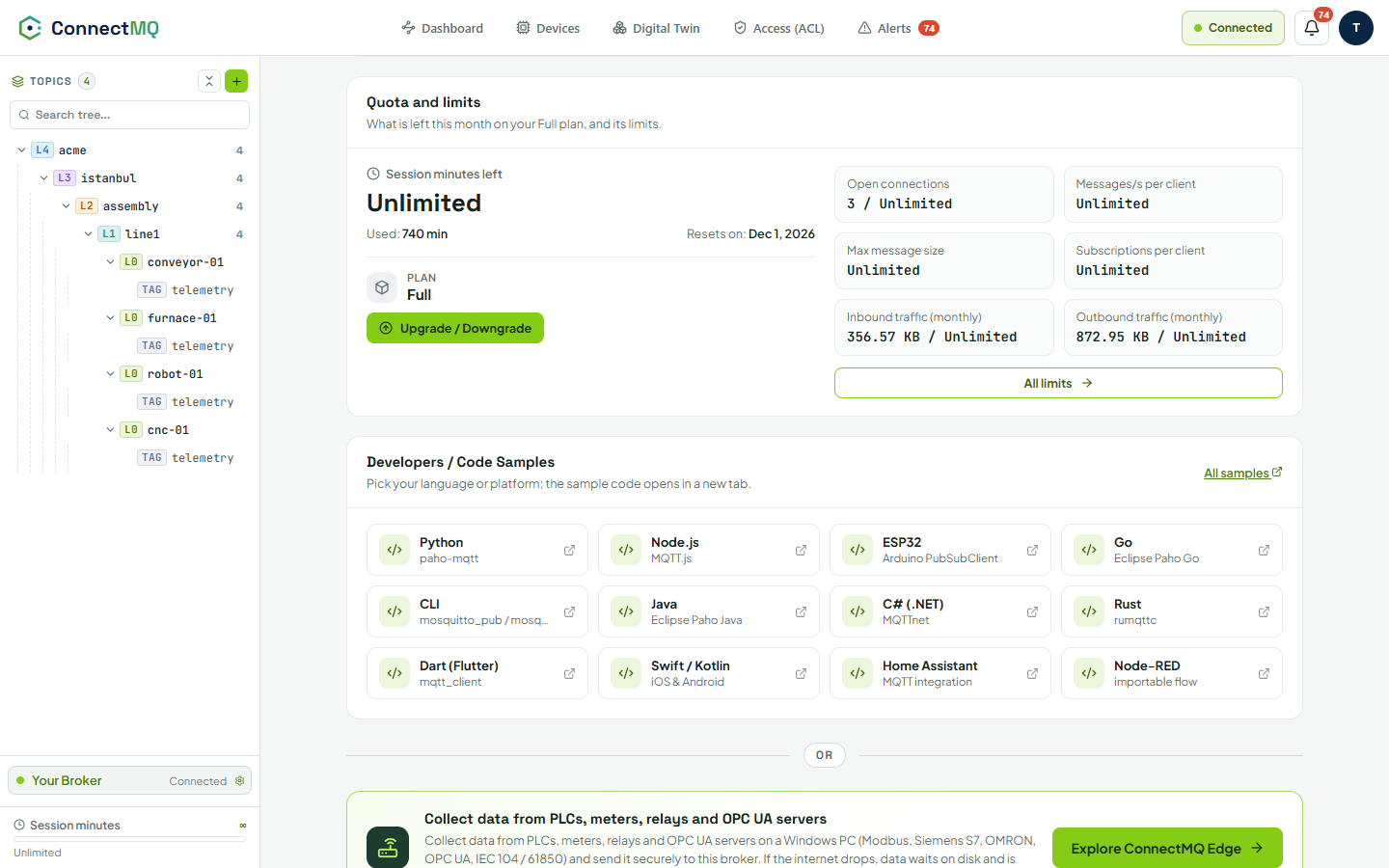
The Quota and limits box shows what is left on your plan:
- Session minutes left (this month, or the one-time Free allowance), minutes used and the reset date.
- Plan with an Upgrade / Downgrade button.
- Open connections, Messages/s per client, Max message size, Subscriptions per client.
- Inbound and Outbound traffic (monthly).
All limits opens the full list of your plan's limits, including new connections per second, max QoS, retained messages, wildcard and shared subscriptions, ACL and ConnectMQ Edge. Every limit is explained in Plans & broker limits.
About the screenshots
The screenshots in these docs were taken on an internal plan without limits, so they show Unlimited. On Free, Basic and Scale you see your plan's numbers, for example 3 / 100 open connections on Basic.
Developers / Code Samples
Links to ready-to-run samples for Python, Node.js, ESP32, Go, CLI, Java, C# (.NET), Rust, Dart (Flutter), Swift / Kotlin, Home Assistant and Node-RED. See also Other languages.
ConnectMQ Edge
Explore ConnectMQ Edge opens the Edge page to collect data from PLCs, meters, relays and OPC UA servers. See ConnectMQ Edge.
Connect, disconnect and delete
- Disconnect / Connect only affect this console tab's connection, not your devices.
- Delete broker (owners and admins) deletes the broker and all of its credentials permanently and disconnects every device. It cannot be undone.