
Design your topics (ISA-95)
ConnectMQ accepts any MQTT topic. If you follow a simple ISA-95 style path, the console also builds the device list, the topic tree and the digital twin for you.
The recommended pattern
<enterprise>/<site>/<area>/<line>/<device>/<signal>| Level | ISA-95 name | Example |
|---|---|---|
| L4 | Enterprise | acme |
| L3 | Site | istanbul |
| L2 | Area | assembly |
| L1 | Line | line1 |
| L0 | Device / equipment | cnc-01 |
| TAG | Signal | telemetry |
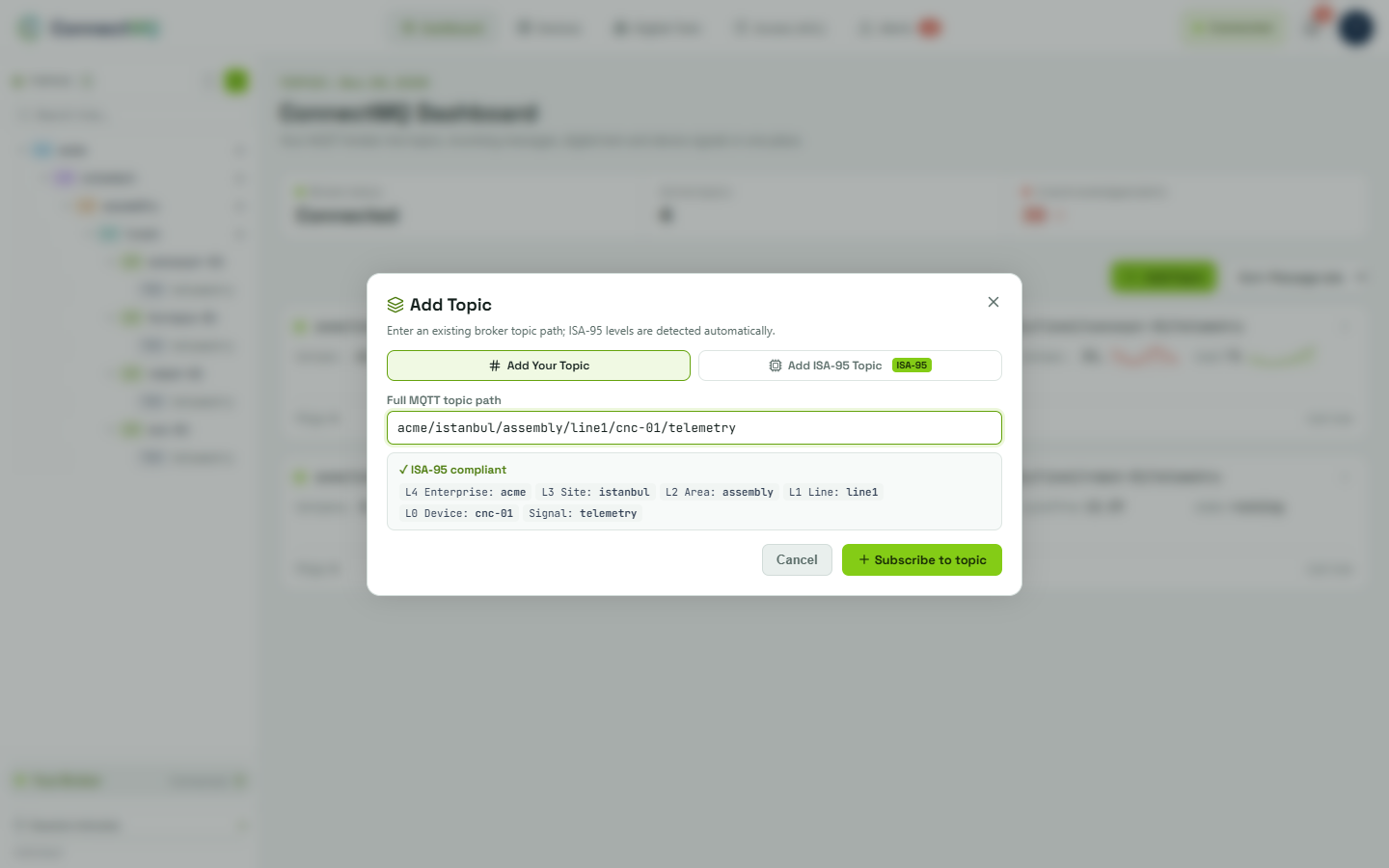
Example: acme/istanbul/assembly/line1/cnc-01/telemetry
When you add such a topic, the Add Topic dialog shows ✓ ISA-95 compliant and the detected levels:
The same structure is often called a Unified Namespace (UNS).
Payloads: send JSON objects
Publish one JSON object per message, with one field per value:
{ "temperature": 62.4, "spindleRpm": 11950, "vibration": 2.3 }- Every numeric field becomes a live value with a chart on the topic page and dashboard.
- Alert rules test fields by name (
{temperature} > 64). - Strings (
"state": "running") and booleans are shown as values too. - Plain text works, but then the console cannot extract fields.
Group values that are measured together into one message (one telemetry topic per device) rather than one topic per value: it means fewer messages, fewer session resources and a simpler device list.
Good practices
- Use lowercase, short, stable names without spaces:
line1,cnc-01. Avoid+,#and$in names; they are MQTT wildcards and system prefixes. - Put the most general level first. Then wildcards work naturally:
acme/istanbul/#(whole site),acme/+/+/+/+/telemetry(every device's telemetry). - Keep commands and status apart from telemetry, for example
.../cnc-01/cmdand.../cnc-01/status. Publish status as retained so new subscribers see the last state immediately. - Stay within 8 topic levels, the broker's maximum.
- Do not put secrets or personal data in topic names; they show up in logs and the console.
Other patterns
| Pattern | Example |
|---|---|
| Fleet | fleet/<region>/<vehicle-id>/gps |
| Smart home | home/<floor>/<room>/<device>/state |
| Product | <product>/<serial>/telemetry, <product>/<serial>/cmd |
These work with every feature; the console simply maps the first levels to Enterprise, Site, Area and so on, and the tree still groups them.
Topics and access control
A consistent tree makes ACL rules short: acme/istanbul/assembly/# for one area, or devices/${clientid}/# so that every device can only write to its own branch.