
ConnectMQ Docs
Welcome to ConnectMQ
ConnectMQ is a fully managed, serverless MQTT broker. Sign up, copy your credentials and connect sensors, PLCs, gateways and apps in minutes, then watch their data live in the console. There are no servers to install, patch or scale.
Start here
QuickstartSign up, get your credentials and publish your first message in five minutes.Create your accountSign up, verify your e-mail, pick a use case and get your first broker.Tour of the consoleWhat every menu in the ConnectMQ console does.Plans & broker limitsFree, Basic and Scale: connections, session minutes, message size and more.
Connect your devices
Credentials & endpointsHost, ports, username, password and client ID.Command lineTest with mosquitto_pub and mosquitto_sub.Pythonpaho-mqtt over TLS.Node.jsMQTT.js for services.ESP32 / ArduinoWiFiClientSecure + PubSubClient.BrowserMQTT over secure WebSockets.PLCs & metersSiemens S7, Modbus, OPC UA with ConnectMQ Edge.Home AssistantOne-click integration.More platformsGo, Java, C#, Rust, Flutter, Swift, Kotlin, Node-RED.
Use the console
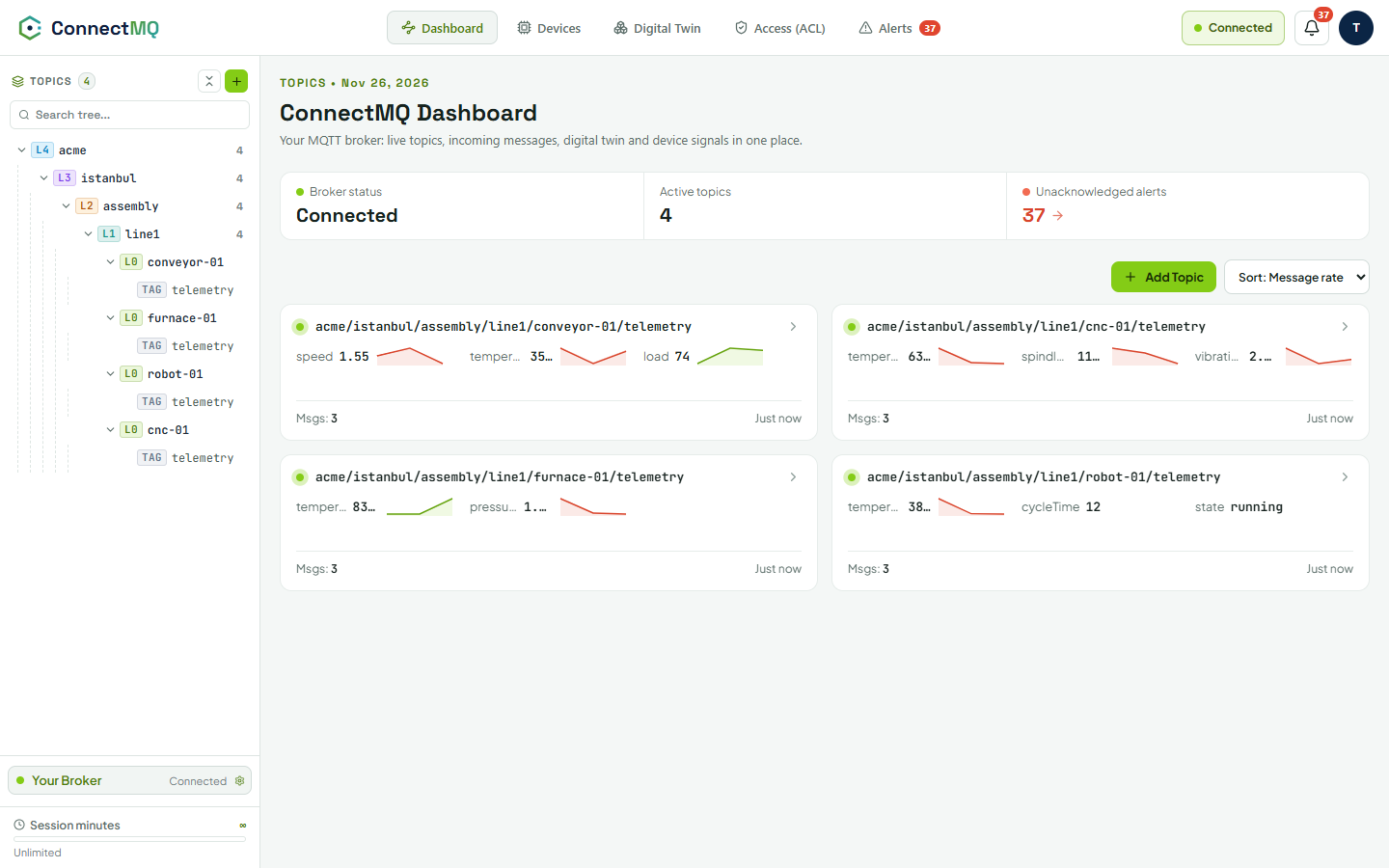
Dashboard & topicsSubscribe to topics and watch live values with sparklines.DevicesDevices found from your topic paths, and every connected MQTT client.Digital TwinYour devices as a live 3D scene.Alert rules & alertsThresholds on any JSON field, with acknowledgement.Access control (ACL)Who may publish and subscribe to which topics.Plans & billingUpgrade, downgrade, invoices and cancellation.
ConnectMQ Edge
Edge overviewA Windows gateway from PLCs, meters and relays to ConnectMQ, with an offline buffer.ConnectorsSiemens S7, Modbus, OMRON, OPC UA, IEC 104, IEC 61850, MQTT and Sparkplug B.
Move to ConnectMQ, or run it in your cloud
Migration from other brokersAI agent skills for HiveMQ, Mosquitto, EMQX, VerneMQ, AWS IoT Core and Azure IoT Hub.Bring your own cloud (BYOC)Run the broker node in your AWS, Azure or Google Cloud account.
How ConnectMQ works
- You sign up and ConnectMQ creates an isolated broker for your organization on the Free plan.
- Your devices connect to
broker.connectmq.comover MQTT 3.1.1 or MQTT 5, using TLS (8883) or secure WebSockets (8084) and the credentials from your console. - They publish JSON to topics such as
acme/istanbul/assembly/line1/cnc-01/telemetry. - The console shows every topic and device live, raises alerts on your rules, draws a 3D digital twin and lets you control access per topic.
Your devices use standard MQTT: no SDK, no lock-in. Anything that speaks MQTT can connect.
Just want to try MQTT?
The public test broker at broker.connectmq.com:1883 needs no account. Use it for experiments only: it is shared and anyone can read the topics.